
Whether you’re new to cold emailing or have decided it’s time to audit your current processes, it’s always important to consider the impact of your email service provider on your cold email campaigns.
In the past, it was as simple as paying for a G Suite account and launching a campaign. Today, there are a few more considerations you should be thinking about.
In this guide, we’ll walk you through the pros and cons of different ESPs for cold email, and help you choose the right one for your needs.
- What is an Email Service Provider (ESP)?
- ESPs vs. Cold Email Software
- Why Does Your ESP Choice Matter for Cold Email?
- Which Email Service Providers are the Most Popular?
- Which ESPs do Most Cold Emailers Use?
- Paid vs. Free Email Service Providers for Cold Email
- Best Email Service Providers for Cold Email Outreach
- How Much Does Your ESP Impact Cold Email Success?
Let’s dive in.
What is an Email Service Provider (ESP)?
An email service provider is the platform you use to send and receive emails.
There are longer and more complex definitions of what an ESP is out there, but for the purpose of sending cold emails, this is all you need to think about.
You might also know email service providers as email hosting providers, but we’ll refer to them as ESPs throughout this article.
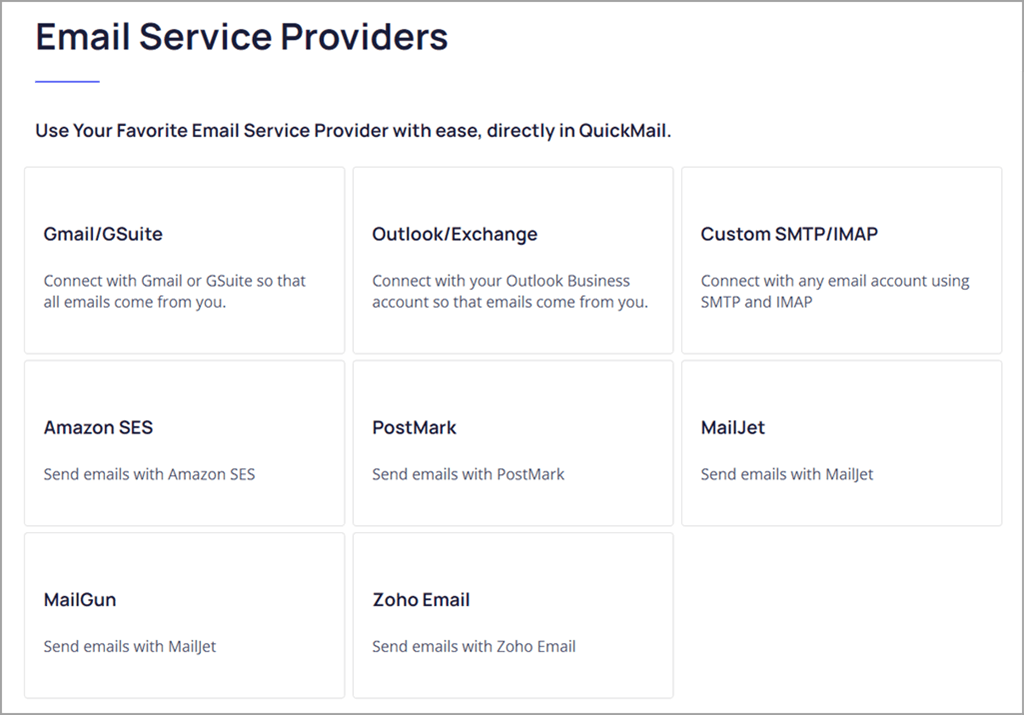
Examples of ESPs include Gmail, Outlook, Zoho Mail, Fastmail, Rackspace, and there are lots more out there.
ESPs vs. Cold Email Software
It’s important to clarify that when we talk about ESPs, we’re not talking about cold email software.
ESPs are primarily designed for one-to-one email and it’s what you use every day when talking to clients, sales leads, or coworkers.
Cold email software works with your ESP to help you automate your cold outreach. QuickMail is one example of a cold email tool that works hand-in-hand with your ESP.
A cold email tool adds functionality such as the ability to schedule personalized cold emails to multiple recipients at once, automatically follow-up with them, and track your key cold email metrics to see how well your emails are performing. None of those features are built into ESPs directly.
Why Does Your ESP Choice Matter for Cold Email?
There are a few main reasons why you need to think carefully about the ESP you choose.
Here are some of them:
1. Your ESP Can Impact Deliverability
If your cold emails don’t reach your prospects’ inboxes, your campaign won’t generate the results you want it to.
If it’s for your business, that means you’ll struggle to grow. If you run an outreach agency and manage campaigns to generate leads for your clients, bad deliverability puts your reputation at risk.
It’s a factor that’s far more important than price, UX, whether you’ve used it in the past or not, or even email sending limits. But, unfortunately, it’s hard to know how well your emails will deliver before you choose one. We’ll be sharing some of our data below on inbox deliverability.
2. Functionality and Integrations Available to You
Next, you’ll care about features and functionality.
Most ESPs will have all of the core features you need to send and receive emails, and QuickMail integrates with both Gmail and Outlook, as well as custom SMTPs, so there’s no need to worry about not being able to send cold emails.
As well as core functionality, consider if there are integrations available. Popular ESPs like Gmail and Outlook (or Google Workspace and Office 365) will have more integrations available than smaller ESPs.
If you can easily access integrations, it’ll be simple to set up effective systems and link your email accounts with your other sales tools, like your CRM software.
It’s definitely a factor to consider because if you can’t create a good system for managing incoming replies to your emails you’ll end up missing replies and big opportunities.
3. How Easy Your ESP Is to Use
Most ESPs have a relatively standard feature set.
But, if you’ve always used Office 365 and Outlook to manage your company emails, it’s going to be natural to want to use that as your ESP for cold emailing.
If you use Google Workspace and Gmail, you’ll prefer that.
At the end of the day, deliverability and functionality matter, but the true test of whether an ESP is good or not is that you’re willing to use it as part of your daily cold email workflow.
[cta title=“Get better results from your cold outreach” text=“Teams book more meetings and get more replies with QuickMail” button=“Try our platform for free” url=“https://next.quickmail.com/signup”\]
Which Email Service Providers are the Most Popular?
There is a wide range of ESPs used by businesses around the world.
According to a study by Litmus, the most popular ESPs for business users are:
- Salesforce: 18.1%
- Mailchimp (including Mandrill): 11.1%
- Adobe: 7.6%
- Oracle: 6.2%
- HubSpot: 5%
Clearly, not all of these are a good fit for cold email. Most companies using these have systems working on top of them and don’t need to send outbound emails.
For example, Mailchimp is popular for sending newsletters and product information to existing customers, but a terrible fit for cold email (read our guide on whether or not you can use Mailchimp for cold email here).
The majority of cold email platforms, like QuickMail, run on top of ESPs like Gmail, Outlook, Zoho Mail, or other custom inboxes.
Which ESPs do Most Cold Emailers Use?
Now, to get more specific, here’s our data on which ESPs cold emailers using QuickMail use.
- Gmail: 74.5%
- Outlook: 20%
- Custom SMTP: 5.5%
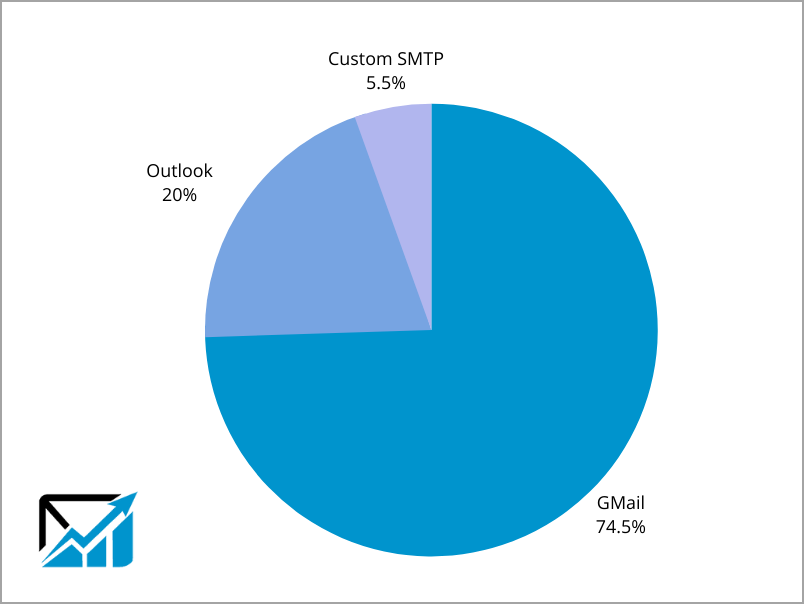
As you can see, even though we’ve found that Outlook can have better deliverability than Gmail, the vast majority of QuickMail users still use Gmail, and most will be getting excellent results from their outreach campaigns.
Paid vs. Free Email Service Providers for Cold Email
When choosing your cold email ESP it’s vital that you don’t go with a free option, like a free, personal Gmail or Outlook account.
Interestingly, free Gmail and Outlook accounts often have better deliverability, because they’re made for personal use and aren’t subject to the same scrutiny that business emails are.
The reason to avoid them is that if there are any issues, you’ll quickly be blocked from using them, as high-volume outreach is against the terms of these free accounts.
On the other hand, if your paid Google Workspace or Office 365 email address runs into problems, there will be more support available to you.
[cta title=“Better results come from better cold outreach” text=“Your team can start winning at scale in QuickMail” button=“I want a better platform” url=“https://next.quickmail.com/signup”\]
Best Email Service Providers (ESPs) for Cold Email Outreach
1. Google Workspace and Gmail
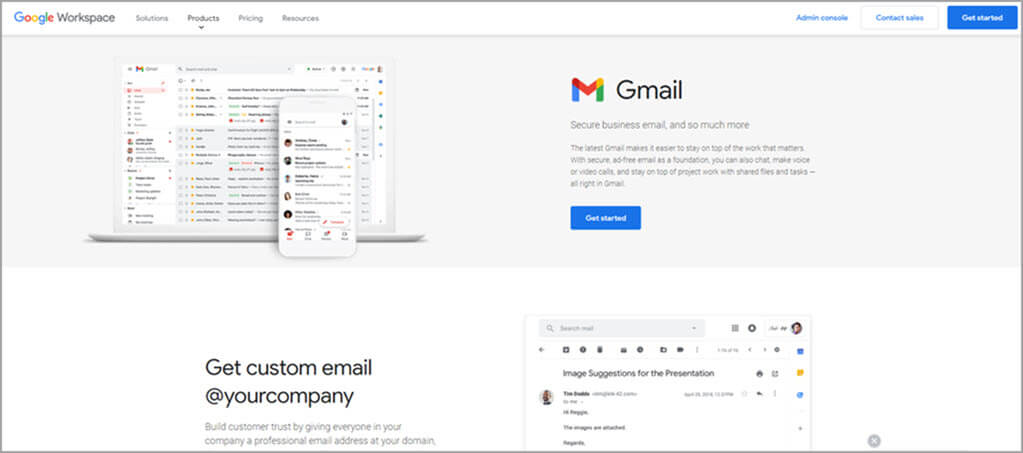
Google Workspace (previously known as G Suite) is the most popular ESP for cold email among QuickMail users, with 74.5% of users relying on it.
Pricing starts at $6 per user per month, but until you spend $30 total, you’ll be limited in the number of emails you can send per day.
It’s a reliable and easy-to-use platform but can have slightly worse deliverability than Outlook.
Because it’s one of the most popular ESPs in the world, you’ll have access to almost any integration you need.
There are a variety of tools that can plug directly into your Gmail account to help with automatic follow-ups, open tracking, and even meeting scheduling. It’s also useful to be connected with Google’s ecosystem of products if you’re already using tools like Google Drive and Google Calendar in your company.
In terms of sending limits, you can send 2,000 emails per day per paid account you have. For most cold emailers, that’s going to be more than enough — you won’t have the bandwidth to actively engage with the replies you’re getting at that volume.
Here’s a quick summary of the pros and cons:
Pros of using Gmail:
- Integrates with QuickMail in a few clicks
- Easy-to-use UX and widely adopted
- Integration with the rest of the Google ecosystem
Cons of using Gmail:
- Lower deliverability rates than Outlook
- More expensive than ESPs like Outlook and Zoho Mail
2. Office 365 and Outlook
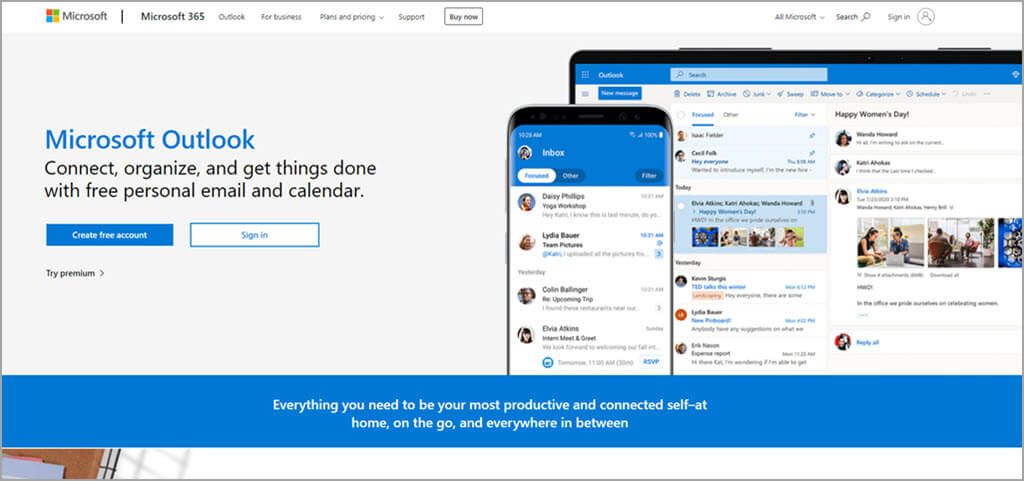
Outlook comes as part of the Microsoft 365 for Business package, and pricing starts at $5 per user per month.
It’s an excellent ESP for anyone doing cold email, thanks to high deliverability rates and an easy integration with QuickMail.
In our own tests, we’ve seen Outlook outperform Gmail by almost double. It even outperforms Gmail accounts sending to other Gmail accounts.
Because Outlook is so popular among businesses, it makes sense for lead generation agencies to know how to use it, as it’s likely that your clients will be on it. If there are ever setup issues with their account,you’ll be able to advise and get them set up quickly.
Here’s a quick summary of the pros and cons of Outlook:
Pros of using Outlook:
- Excellent deliverability rates
- Widely used, so there’s lots of resources on using it
- Direct integration with QuickMail
- High email sending limits
Cons of using Outlook:
- User experience is not as smooth as Gmail
- Can be complicated to set up accounts correctly
3. Zoho Mail
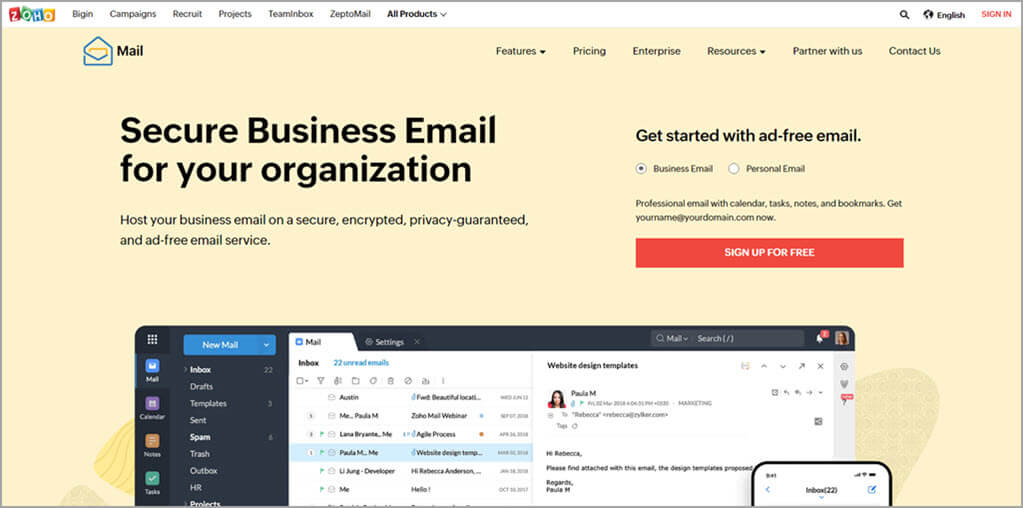
Zoho Mail is another popular choice. It falls under the “Custom SMTP” category in our data on how many QuickMail customers use it, with under 5.5% of cold emailers using QuickMail using Zoho Mail.
But, that doesn’t mean it’s a bad option for your ESP.
Zoho Mail works well for cold email, and you can set it up to work with QuickMail in a few minutes.
Zoho also offers several complementary tools, such as sales CRM, a shared inbox tool, and more. If you want your emails to seamlessly fit into other tools like those, it’s a great option.
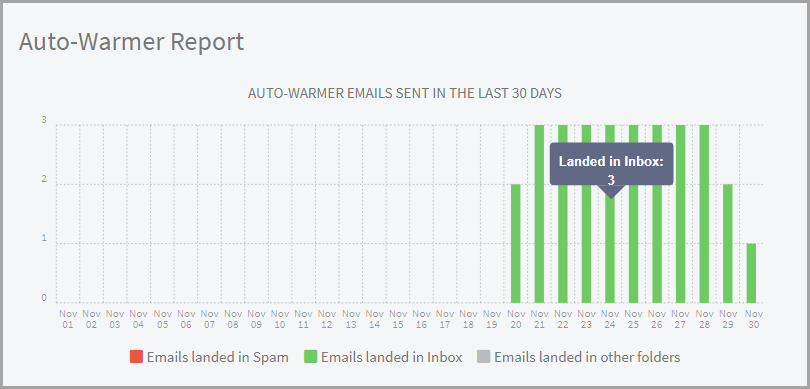
To make sure your Zoho Mail emails land in your prospects’ inboxes, make sure to connect your account with the MailFlow’s Auto Warmer. It has a native integration with QuickMail, and It’ll automatically warm up your email inbox to improve deliverability and help your emails land in your prospects’ primary inbox.
Pros of using Zoho Mail
- Directly connects to a range of other Zoho sales tools
- Integrates with QuickMail
- Cheaper than Google Workspace
Cons of using Zoho Mail
- Smaller market share than the main ESPs, Gmail and Outlook, so less resources if you need help
- Less available data on deliverability rates
4. Other ESPs Worth Considering
There is a huge variety of ESPs available to you.
Some other options that integrate directly with QuickMail and allow for sending personalized email campaigns are:
These are different from Gmail or Outlook as they’re primarily designed for bulk and transactional email, rather than 1:1 communication with cold prospects.
These all have a more complicated setup than ESPs like Gmail, Outlook, or Zoho Mail, but they may be a good option for some companies as they have powerful deliverability features as the platforms are designed for high-volume email blasts.
[cta title=“You deserve better results from your cold outreach” text=“QuickMail makes it simple to run high-performing outreach at scale” button=“Start my trial” url=“https://next.quickmail.com/signup”\]
How Much Does Your ESP Impact Cold Email Success?
Your ESP does impact the success of your cold emails.
But, first, consider if you can say ‘yes’ to these four factors:
- Your prospect list is well qualified
- You’ve warmed up your cold email inbox using the MailFlow Auto Warmer
- Your email templates are compelling
- The product/service you’re pitching is something your prospects are in need of
If so, your ESP won’t be the major difference between success and failure.
The people who will see the biggest impact from trying a new ESP are established cold emailers with existing data and benchmarks.
If you test a new ESP, you can compare your new data to your old data and see if there’s an improvement in deliverability or not.
In Conclusion
Your email service provider is the underlying platform that sends and receives emails in your campaigns.
It’s worth considering which one is right for your needs and use cases because jumping in and choosing once based on price, or a single feature alone.
For example, if you mainly use your email account for internal emails and only need to send low-volume cold email campaigns once every two months, you’d be better choosing one based on usability.
But, if you run a business that relies on sending cold emails for client acquisition or for running campaigns for your clients, you need to make a choice based on business-critical factors, like which ESP has the best deliverability.
Ultimately, the choice is yours, but based on our data, Outlook currently has slightly better deliverability, but Gmail is still an excellent choice, and the majority of QuickMail users rely on it.