

A lift in your reply rates can have a significant impact on your client acquisition, client engagement, and retention.
However, personalizing your emails takes time if you write every single one out by hand. That’s where mail merge software comes in.
Mail merge software helps you personalize your emails on an individual basis but at scale. Every email you send is perfectly personalized for every individual recipient.
In this guide, we’ll show you some of the best mail merge tools out there and look at some of the features to look out for when choosing the right one for your business.
[object Object]0. What is Mail Merge Software? [object Object]1. What’s The Best Mail Merge Software: Summary [object Object]2. Best Mail Merge Software for Gmail [object Object]3. Best Mail Merge Software for Outlook [object Object]4. Mail Merge Software for Email Marketing [object Object]5. Benefits of Using Mail Merge Software [object Object]6. Features to Look for In Mail Merge Software [object Object]7. Going Beyond Basic Mail Merge Fields to Skyrocket Replies [object Object]8. Frequently Asked Questions (FAQ) about Mail Merge Software
Let’s dive in.
What is Mail Merge Software?
Mail merge is the name given to software that automatically replaces fields like names and company names with data from a spreadsheet or prospect list you have. Merge tags are also referred to as attributes.
Here’s an example of using a mail merge, or an attribute, in practice:
Imagine you have a spreadsheet containing 100 people’s first names and company names.
In your email, you insert a piece of text such as {{prospect.first_name}}.
When you send your email, the copy will automatically update to replace {{prospect.first_name}} with the person’s name from your spreadsheet column.
The result is that your emails are always 100% personalized to the recipient, making mail merge and attributes a powerful tool for cold email and client engagement.
What’s The Best Mail Merge Software: Summary
If you don’t have time to read out deep dive on each tool, don’t worry. We’ve summarized some of the best options here. Make sure to try them with a free trial before commiting.
- Best mail merge software for automating cold outreach: QuickMail
- Best for organization in Gmail: Streak
- Best lightweight Outlook mail merge: MailMerge365
- Best for general email marketing: Mailchimp
We’ll share more detail on these tools and more below.
Best Mail Merge Software to Send Personalized Emails on Autopilot
1. QuickMail
Send personalized email campaigns to multiple recipients and automatically follow-up to start more conversations with qualified prospects.
Send Personalized Emails to Every Prospect using Attributes
QuickMail lets you personalize your outreach emails with ease.
If you have an existing prospect list in Google Sheets you can upload them to QuickMail with the native Google Sheets integration. If you have a CSV, you’ll be prompted to map each column in the list to an attribute during the import process.
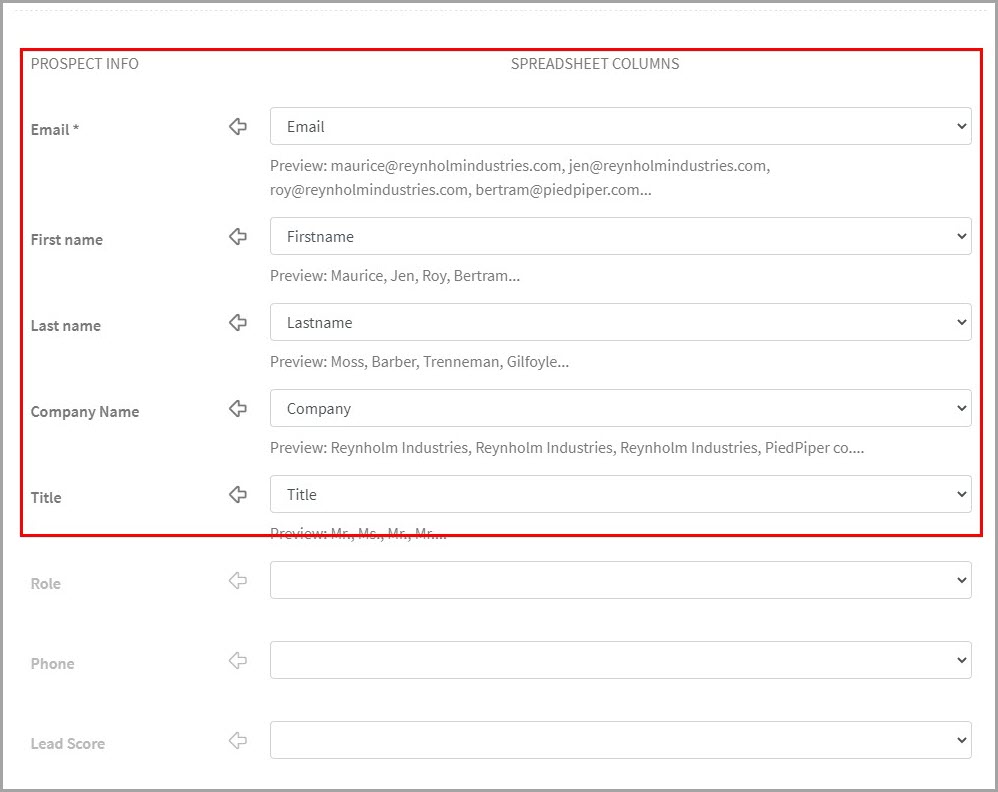
Here, you’ll confirm that each column in your spreadsheet maps to the attribute you want.
When you write your email templates, these attributes can be included, and the data will be automatically pulled in from the corresponding column in your spreadsheet.
You can include these in the email body, as well as your email subject line to ensure every recipient sees that you’re specifically reaching out to them.
You can send a template like this to multiple prospects at once, and each will receive an individual email that includes their own first name, the city they’re in, their company name, and more.
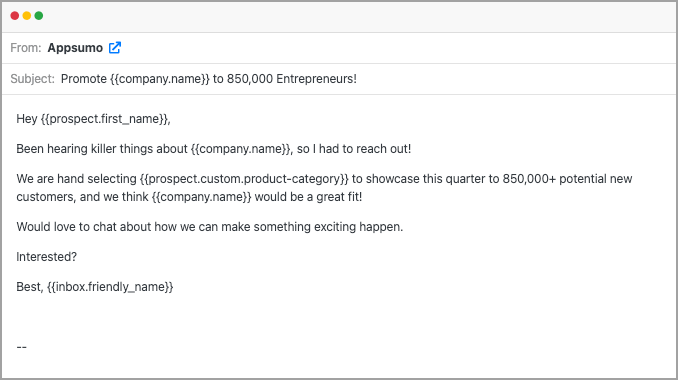
The easier it is to personalize your emails, the faster you can scale up your cold email activity.
Automate the Entire Outreach Process
QuickMail helps you automate the outreach process to prospective clients. You can create multi-step and multi-channel email campaigns, with delays in between each step.
First, you’ll create the first step in your email campaign. Then, add a delay, and write your next email in the sequence.
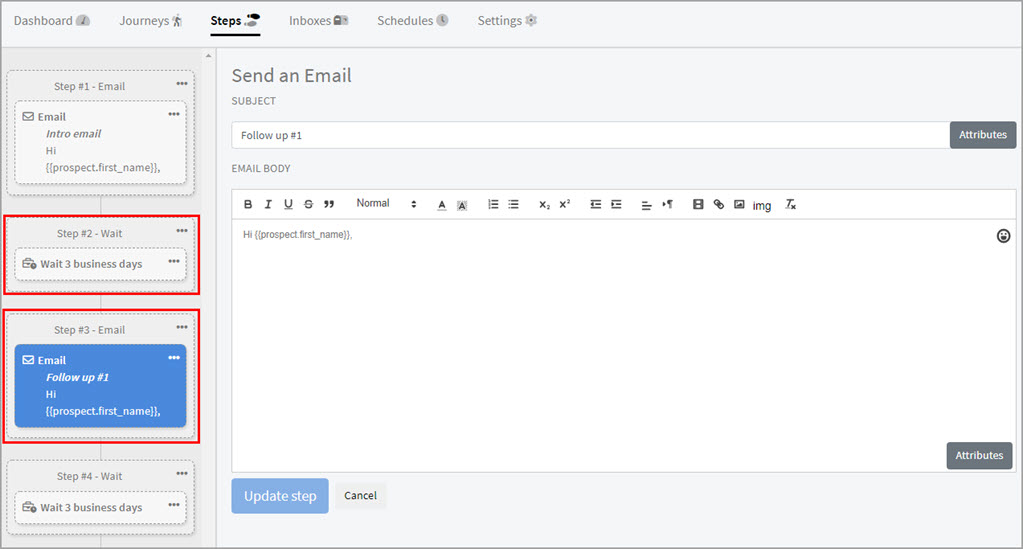
If someone doesn’t reply to your first email, QuickMail will move them onto the next step and they’ll be followed up with.
Our data shows that over half of replies come from a follow-up, so it’s vital to always include at least one.
You can add as many steps to an email campaign as you need.
It’s an excellent way to ensure your emails always get seen by the busy decision-makers you’re reaching out to.
Bring Your Team to Help Manage Campaigns
As you send more emails, the workload increases. QuickMail allows you to bring your team at no extra cost. You can collaborate on tasks, manage replies in a shared opportunities inbox, and get an overview of performance.
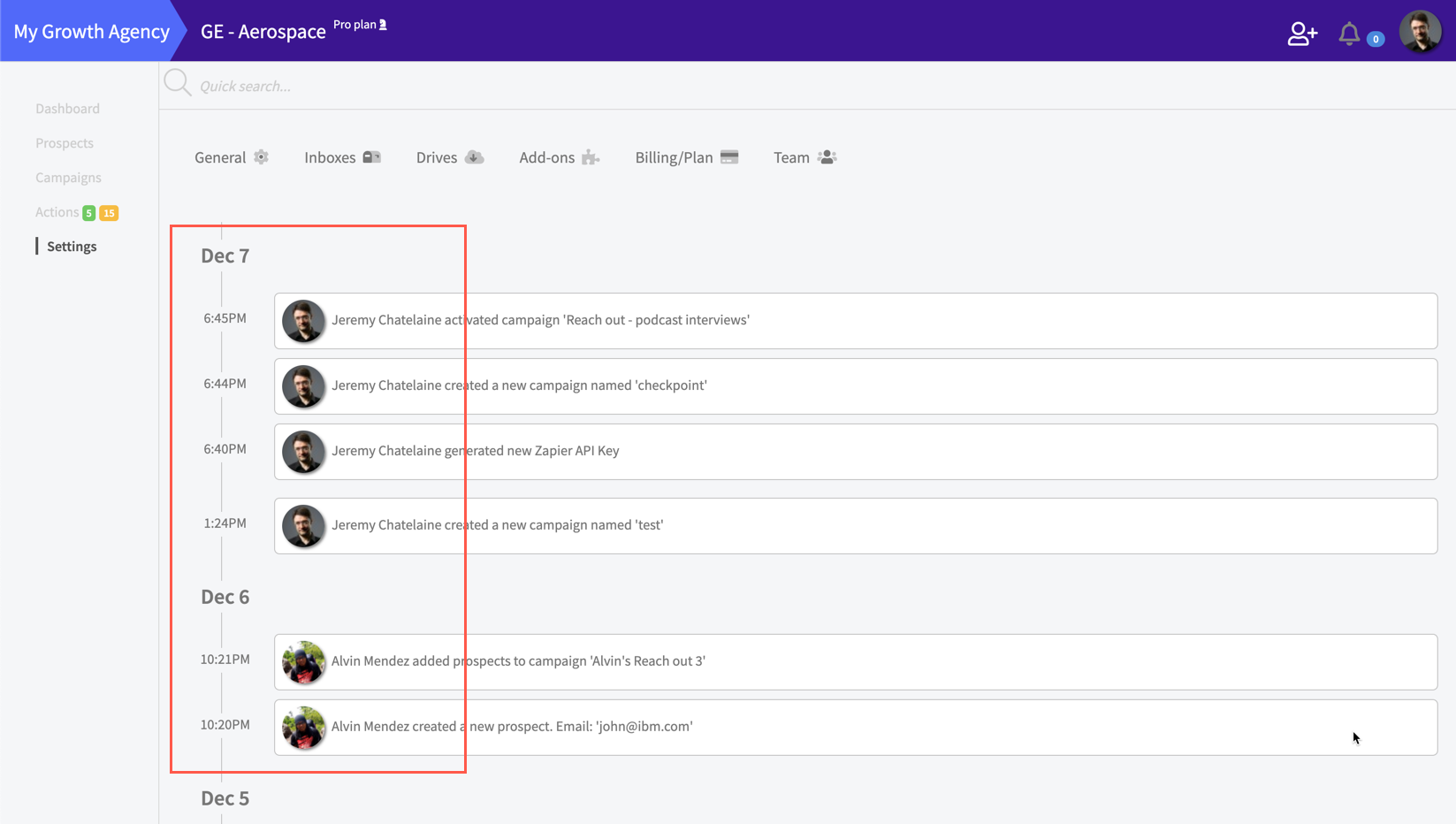
Each plan comes with a generous allowance of inboxes (emails for sending) so collaboration is a standard feature.
The inbox rotation feature means you can rotate your sending volume across different inboxes and reduce the chance of any one inbox being caught by a spam filter.
Native Integration With Deliverability Tools to Ensure Every Email Lands in the Inbox
Your emails need to land in the inbox if you want your prospects to read them and reply.
QuickMail has native integration with an email warm-up tool, MailFlow, which is designed to improve your deliverability.
It’s free to use, and it ensures that ESPs like Gmail and Outlook see you as a trustworthy sender.
Once you connect your inbox to the MailFlow Auto Warmer, it will send emails to and from your account, engaging with other real inboxes in our network. Your emails are then opened and replied to.
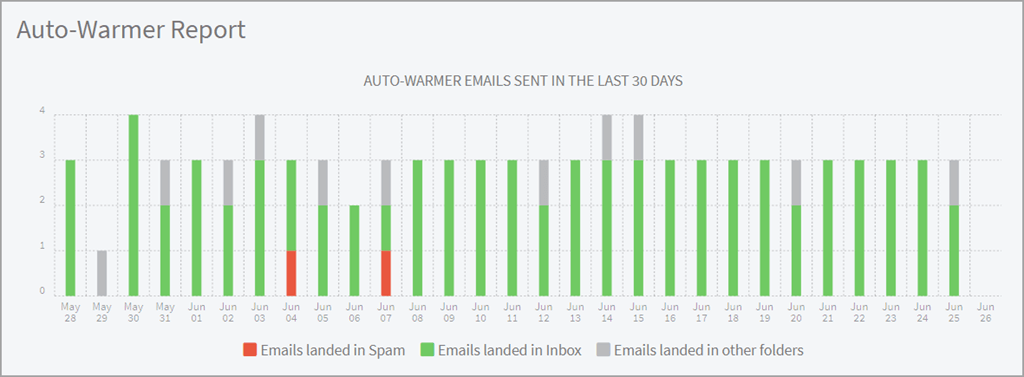
These positive engagement signals will show ESPs that they should deliver your emails to the primary inbox, and you’ll rarely end up in the spam folder.
You can track your deliverability in the MailFlow Auto Warmer Report, and it works with Gmail and Outlook inboxes, as well as custom email providers.
The best part? You can get started risk-free. QuickMail offers a free 14-day trial so you can take the platform for a test drive. You’ll also get access to QuickMail’s amazing support to guide you through the setup process.
Once you’re seeing results and ready to scale up, you can upgrade to get extra tools to help you personalize and automate your mail merge outreach at scale.
G2 rating: 4.6 out of 5 (70 reviews)
Capterra rating: 4.8 out of 5 (25 reviews)
What our customers are saying on G2 and Capterra:
- “By send volume - we book 4X more meetings in QuickMail than our previous platform.”
- “Easily send one-off and follow-up emails to people who have never heard from you before. Similar to direct mail, but in email. Sent in a way that makes the emails feel personal, as if they are being sent manually.”
- “I know nothing about drip campaigns or marketing, but it was so simple to set up that I didn’t need to. The price is right, the service is excellent, the product is rock solid and does exactly what you need it to.”
Pricing: Start send up to 30,000 mail merge emails per month with QuickMail’s Basic plan for just $49/mo.
Key Features:
- Send mail merge campaigns with attributes to personalize each email you send
- Import your prospects directly from Google Sheets or upload a CSV file
- Manage your replies and conversations in a shared Opportunities inbox
- Integrates with other email and outreach tools you use on a daily basis
- Onboard your whole team and use inbox rotation to send emails from multiple accounts
Best Mail Merge Software for Gmail
2. Right Inbox
Mail merge personalization add-on that allows you to scale your email outreach within Gmail.
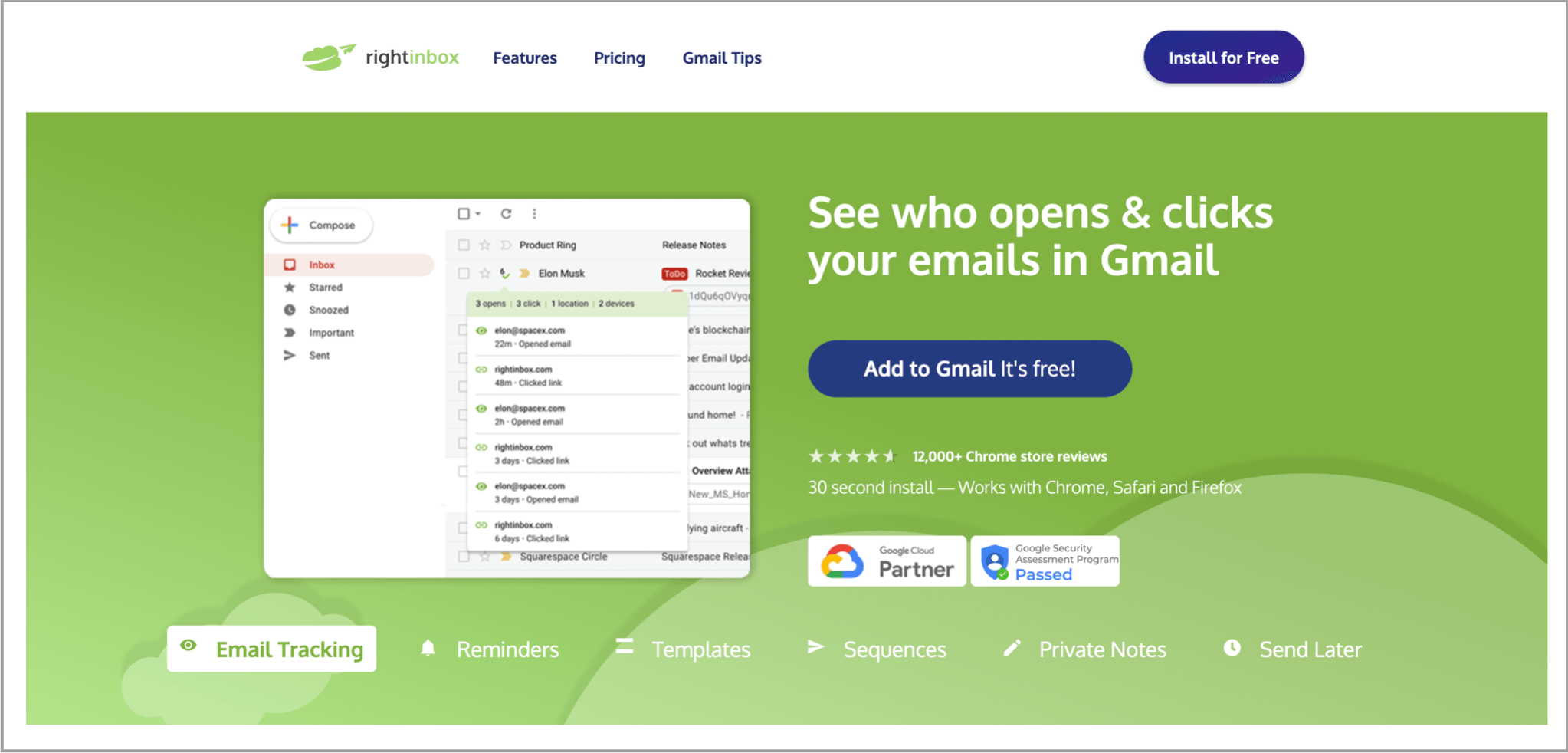
Right Inbox is an email productivity and sales engagement tool. It plugs into your Gmail and gives you a wealth of features to make your time on Gmail worthwhile.
With the help of Right Inbox’s mail merge feature, you can schedule follow-up email sequences to ensure no prospect slips through the cracks.
It takes less than 5 minutes to set up an email campaign with the Right Inbox mail merge for Gmail. Once installed you can use some of the other features in conjunction with mail merge such as email tracking, email sequences, and email templates.
Pricing: From $7.95 per month
Pros:
- Pricing is affordable compared to other options
- 5 second install and set-up directly from Chrome Store
- Mail merge can be used in conjunction with email tracking, email reminders and email notes features
Cons:
- Pricing is billed annually
- Only works within Gmail
- Not a fit if you want to bring all of your team email activity into one place
3. Streak
Lightweight mail merge software for Gmail that lets you write personalized email sequences and then manage replies in a CRM.
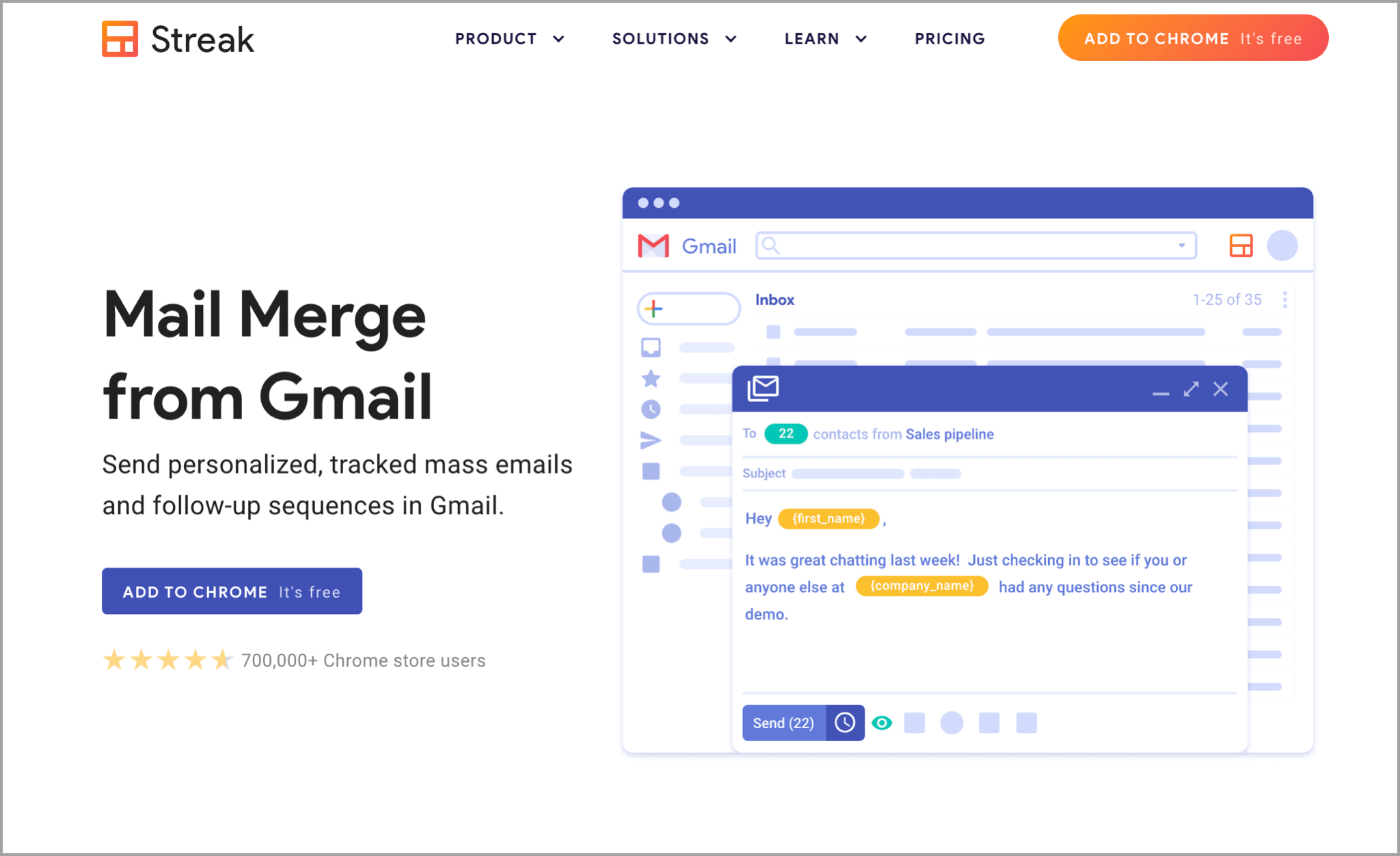
Streak is a CRM extension for Gmail that comes with advanced features to improve how you send emails and manage your inbox. Part of that package includes a mail merge tool to help you send personalized emails to your recipients with ease.
The mail merge tools include an email scheduler that lets you build campaigns with multiple steps. If someone doesn’t reply, Streak will automatically send personalized, automated follow-ups to them and keep them engaged.
You can include details like people’s names, company names, and more to personalize each email.
Once your mail merge campaign is sent, you can track replies and sales leads from the campaign in the built-in CRM that Streak includes in the product.
Pricing: Starts at $15 per user per month
Pros:
- Mail merge software enables you to create campaigns in Gmail based on a CSV containing your prospect list
- Automatically follow up with people that don’t reply
- Manage your replies and sales leads in Gmail-native CRM software
Cons:
- Users on G2 mention that it’s hard to link Streak with other tools, like their project management software
- Some customers on Capterra say the platform is limited because of how it operates as a plugin and can be prone to errors if there are updates to Gmail
4. Yet Another Mail Merge
Send personalized mass email campaigns to prospects straight from your Gmail account.
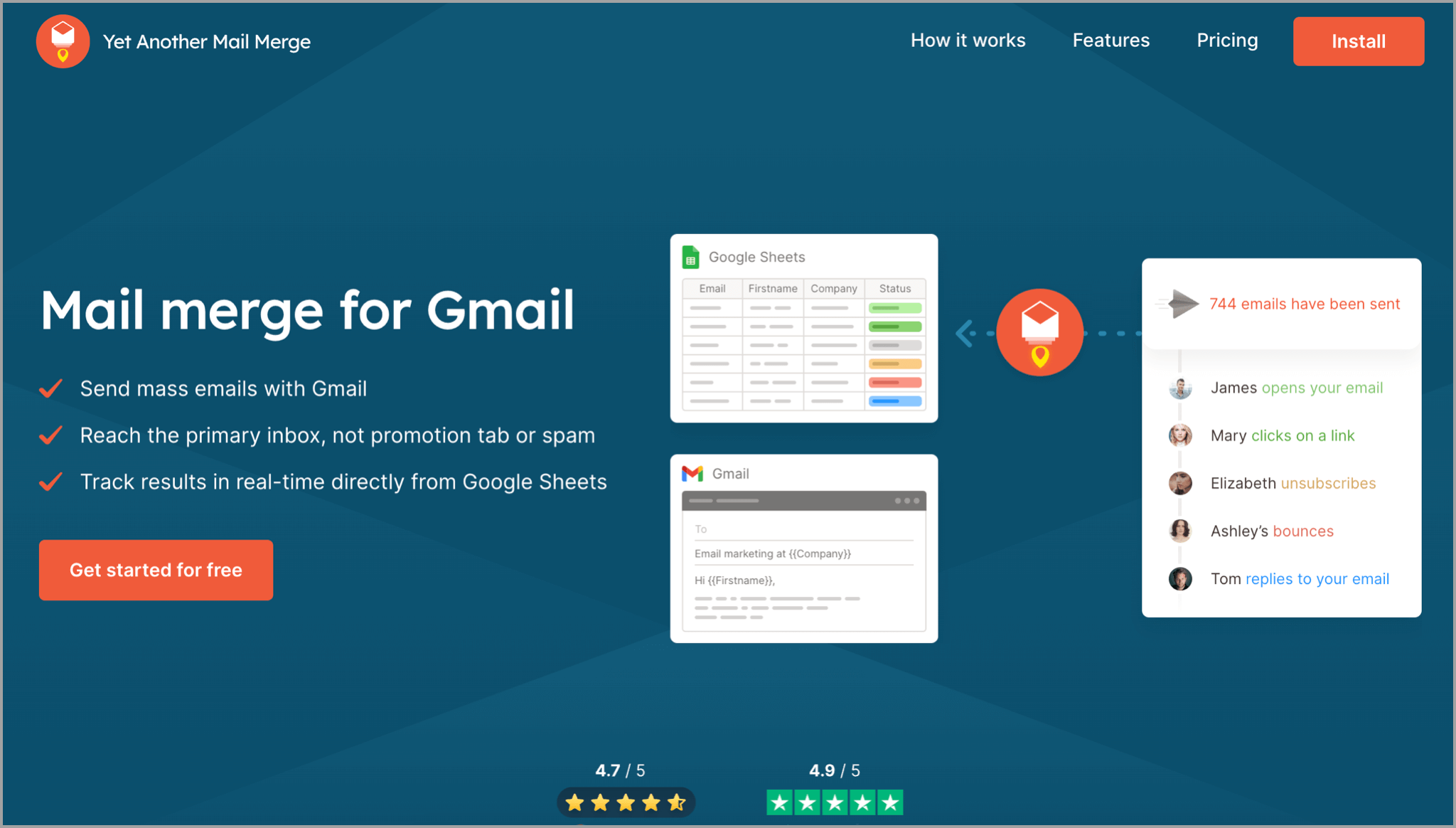
Yet Another Mail Merge (YAMM) is a mail merge tool for Gmail that’s designed to make it easy to send lightweight outreach.
First, you format your prospect list in a Google Sheet, with columns for every attribute you want to include in your email templates.
Then, you’ll write out your email message in your Gmail composer, including your mail merge fields like {{prospect.first_name}} or {{company.name}}.
Yet Another Mail Merge will then send your email to the prospects on your Google Sheet, with each one being personalized using the columns matching the attribute tags.
Like with QuickMail, you can track how well your campaigns are performing with open rate tracking and click-through rate tracking.
**Pricing: **$50 per year for business use. Free for personal use on Gmail addresses.
Pros:
- A lightweight but powerful mail merge program to add helpful tools for email productivity and personalization to your Gmail inbox
- Track email metrics such as open rate and reply rate
- Add both text and images to templates, resulting in completely personalized messages to every email recipient
Cons:
- Some users on G2 mention that it’s difficult to work with attachments on the platform
- Customers on Capterra say they’d like it if you could share reports – currently, they’re only available for individual users.
5. Mailmeteor
Mail merge add-on for Gmail and Google Sheets to send personalized mass emails straight from Gmail.
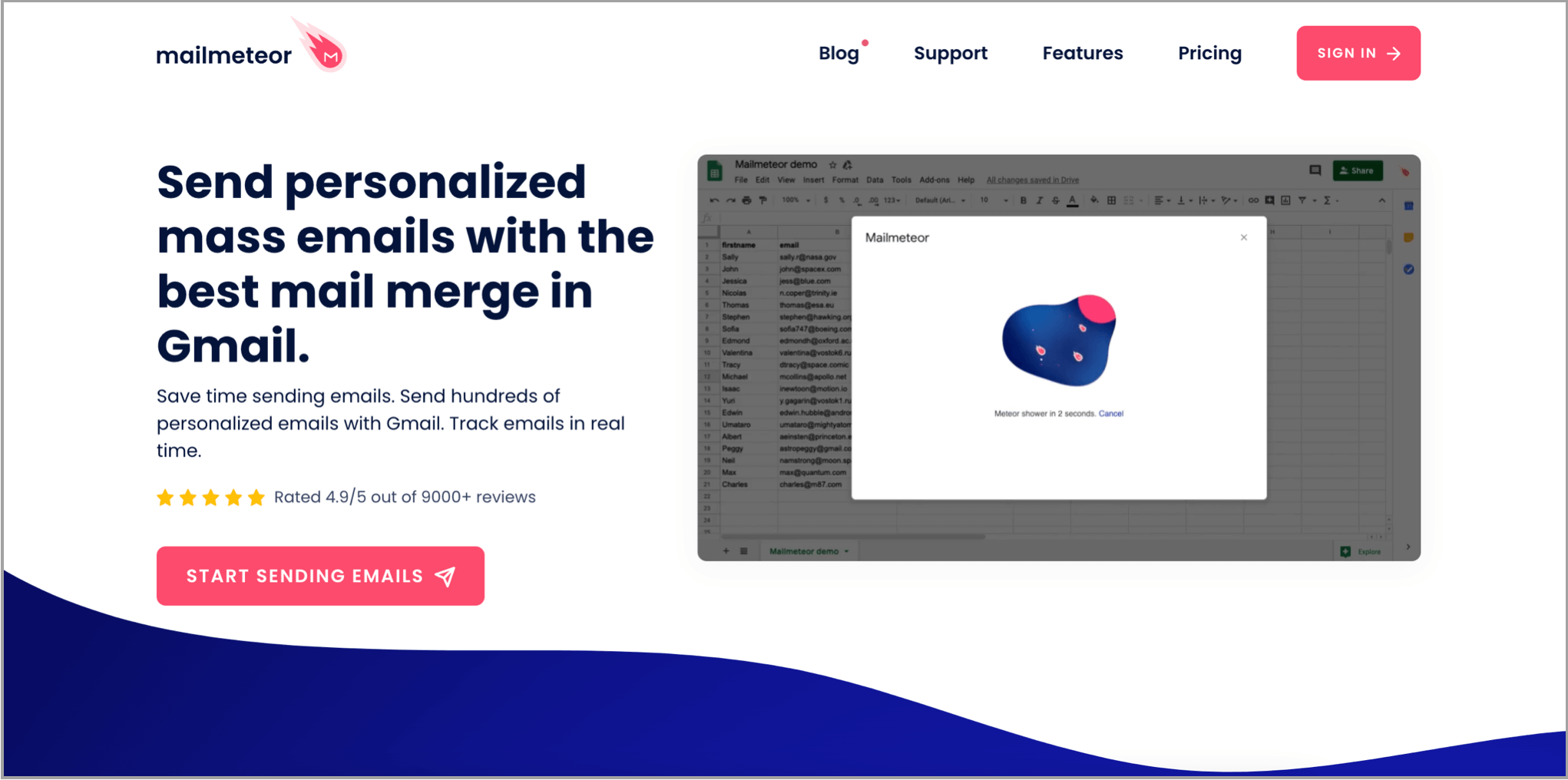
Mailmeteor is a mail merge platform for Gmail that helps you boost your outreach productivity. It’s ideal for anyone sending personalized campaigns for tasks like link-building or client engagement campaigns.
Because everything is managed from Gmail and Google Sheets, it’s ideal if you don’t need an all-in-one cold email tool but want a simple mail merge platform to help you send a couple of campaigns per month at most.
Another benefit of Mailmeteor is that it doesn’t require any permissions to read your email contents, so you can comfortably send your sales and client-facing emails without the tool collecting the data.
Pricing: Campaigns available on Pro plan and above, from $19.99 per month
Pros:
- Privacy-focused mail merge software that doesn’t have access to message contents
- Personalize emails with mail merge fields from a Google Sheet
- Send automatic follow-ups to people that don’t reply using the campaign builder
Cons:
- Users on Capterra don’t like that you can’t easily edit your follow-up email steps once a campaign is running
- Some users say that the email tracking is limited, so it’s not ideal for data-driven teams
6. Gmelius
All-in-one team email management platform with mail merge and templates to improve productivity and personalization in your emails.
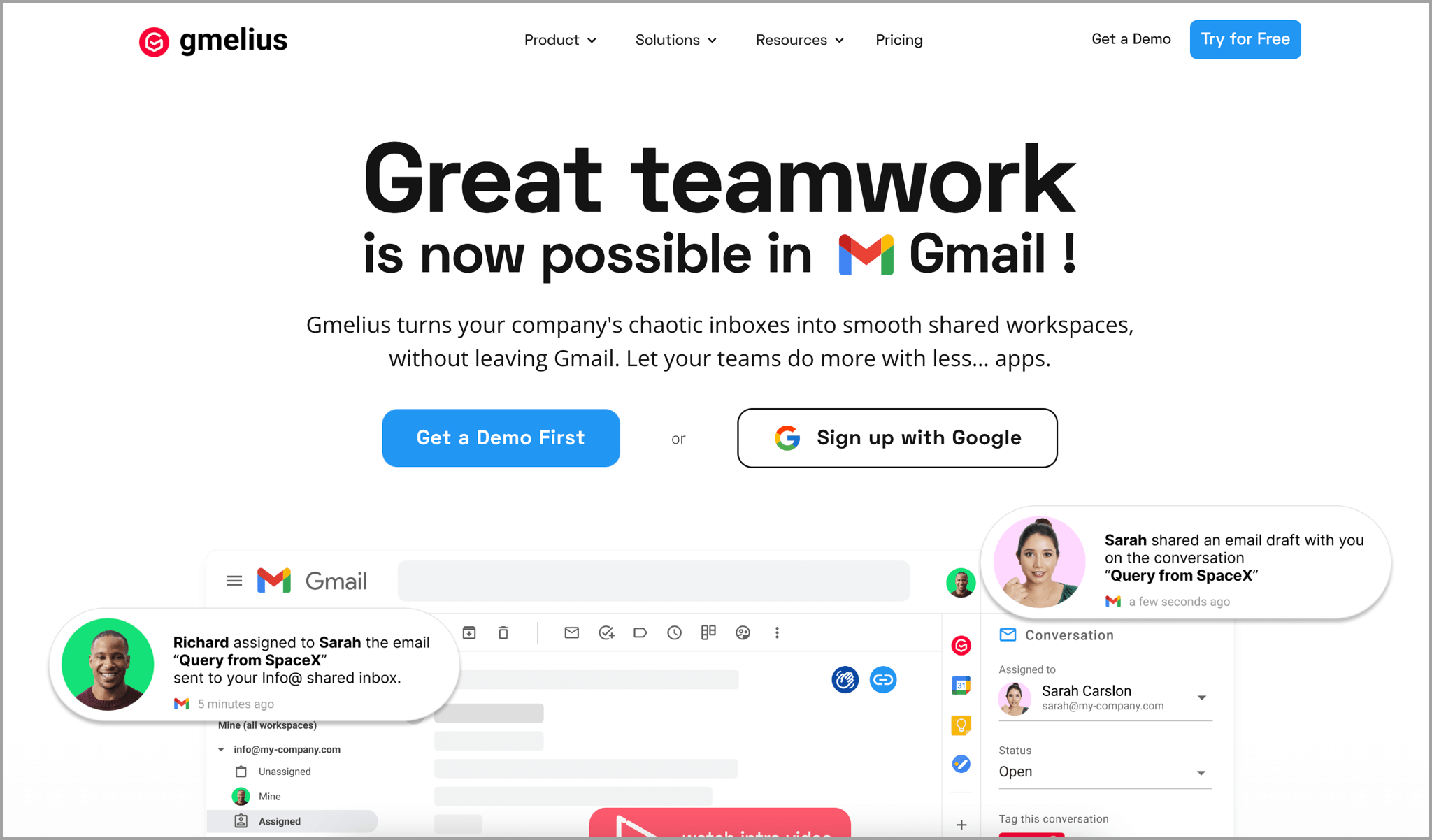
Gmelius is a product that includes multiple features to help you and your team improve your email management. For example, there’s a shared inbox, Kanban boards for email tasks shared email drafts, and more. One of the features they include is a way to send personalized email templates to your customers, using mail merge tags.
You can create saved email templates, including the text you want to be unique for each recipient, such as their name, company name, or any other custom field.
When you send emails to your customers, the templates will be personalized based on the information in your customer database. If you see a template performing well, you can save it and share it with your team.
It’s worth noting that Gmelius is made for emailing your existing client base and can’t be used to send cold emails. If you want to send cold emails, you’ll be better off with a tool made for it, like QuickMail. However, it does integrate with most sales tools, so whether you want to link it with your cold email software or a call center automation tool, you’ll be able to set up your integration in minutes.
It’s also made to be the go-to place for all of your email management needs, so you’ll need to shift all of your team’s email activity onto the platform to get the benefits it offers.
Pricing: Starts from $7 per user per month
Pros:
- Personalize emails to a list of recipients without needing to send multiple emails
- Save high-performing email templates and let team members collaborate on template creation
- Automatic labeling to identify important emails and replies
Cons:
- As the name suggests, there are Microsoft Outlook mail merge features as it’s designed for Gmail
- Some users on G2 report that the notification system isn’t always accurate
7. MixMax
Sales engagement platform with mail merge features made specifically for Gmail users.
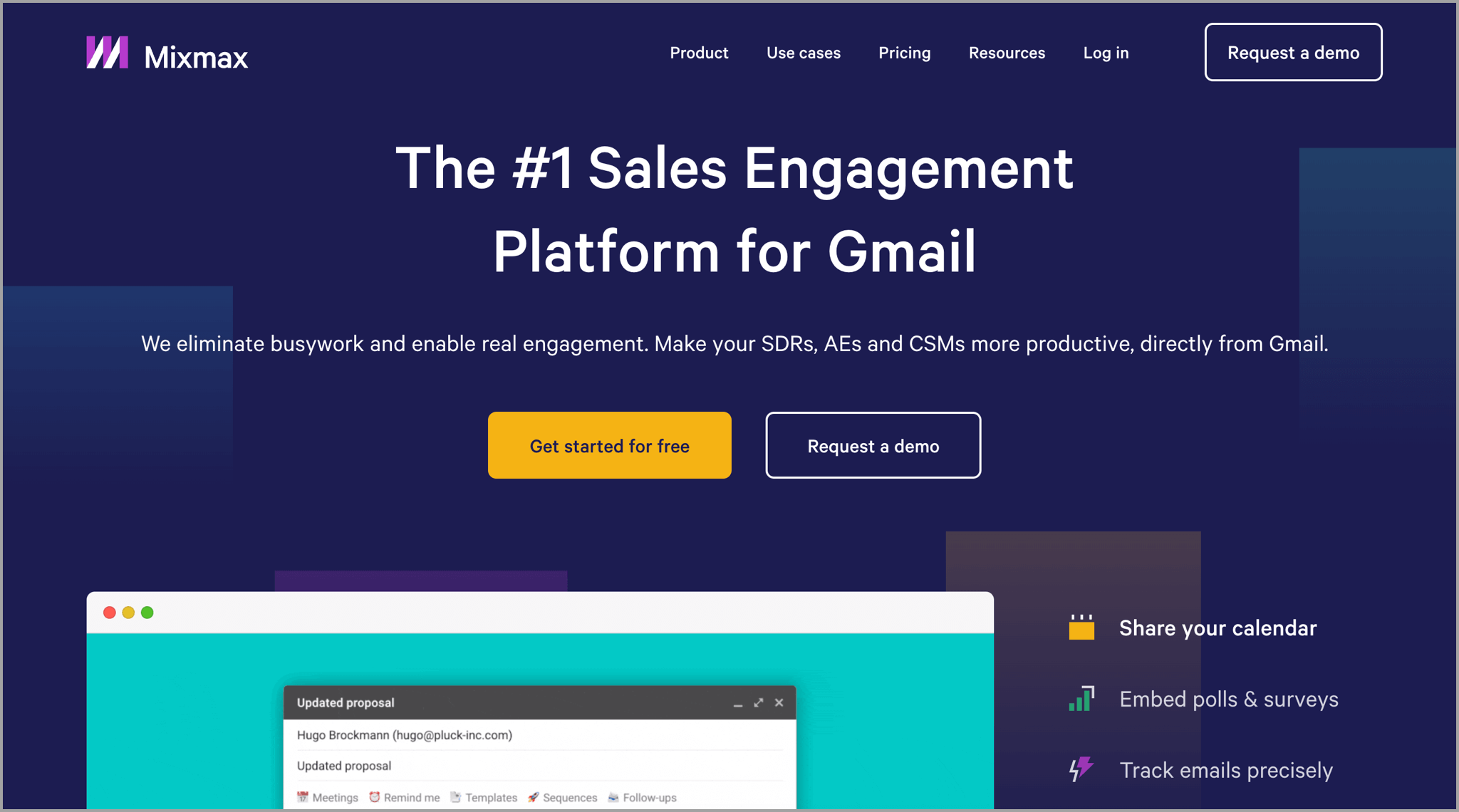
MixMax is a Gmail mail merge tool that lets you personalize and schedule bulk email campaigns using a browser extension.
The mail merge software works on top of your Gmail account, so you don’t need to learn an entirely new email platform. Once you’ve set it up, you can start to create reusable email templates that include attributes that are personalized to each person you reach out to, based on the information you have in your prospect list.
MixMax also lets you track link clicks in your emails, so you can see how well your email campaigns perform.
It’s a good platform for sending lightweight campaigns, and it does include some handy features such as a calendar booking tool and a tool to embed polls in your emails.
**Pricing: **Send email campaigns from $24 per user per month
Pros:
- Works on top of your existing Gmail inbox so there’s no need to learn a new platform
- Schedule multi-step email campaigns that are personalized to each individual recipient with merge tags
- Save your best-performing email templates to use again in the future, and use email tracking to see when people open your emails
Cons:
- Users on Capterra report that the calendar function can sometimes double-book you
- It’s made for individual inboxes, so not a fit if you want to bring all of your team email activity into one place
- Not an Outlook mail merge solution, as it only works with Gmail
8. DragApp
Email management system for your team inboxes that includes the ability to create and save templates with mail merge
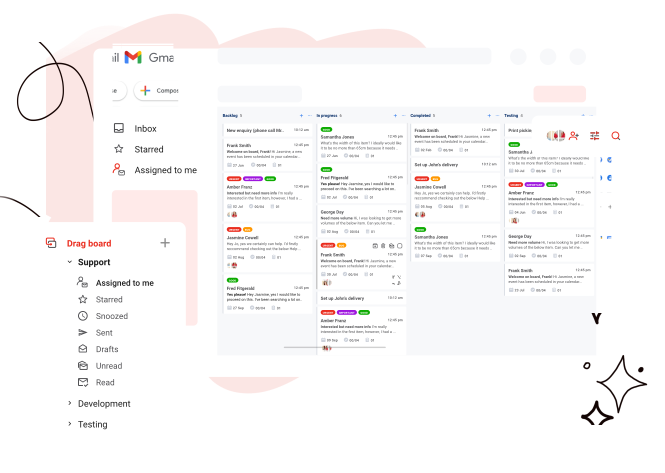
DragApp is a platform to help you manage your team’s emails to customers and sales leads.
You can use it to create and store your team’s most-used email templates, including mail merge fields. You can then use those templates to quickly reach out to customers with fully personalized emails and provide high-quality customer service, without needing to manually type out emails.
As well as that, you can schedule email sequences to automatically follow-up with customers if they don’t reply, which is useful if you urgently need a response from a client.
DragApp is best for teams that need a full team inbox management solution. Once you add everyone’s inbox to the platform, you can manage individual and group mailboxes under one roof, helping to improve your team’s email productivity.
**Pricing: **Create email templates from $5 per user per month.
Pros:
- Effective way to manage your team’s inboxes
- Create and save email templates to reuse in the future
- Personalize email templates using information on your customers like first name, last name, and more
Cons:
- This mail merge service isn’t suitable for sales outreach
- Some users on G2 mention that the email search functionality isn’t as good as they need it to be
- Only works with Gmail, so it’s not suitable for companies using Outlook or other inboxes
Best Mail Merge Software for Outlook
9. MailMerge365
Create your mail merge template and send it directly from your Outlook inbox.
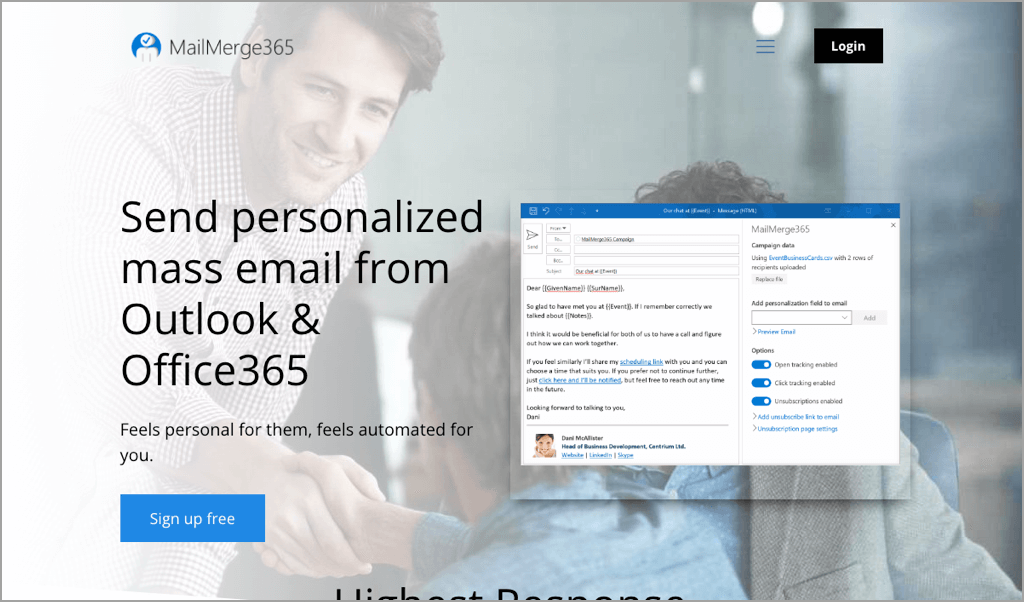
MailMerge 365 is a platform for sending personalized mass emails from Outlook. After connecting it to your inbox, there’s a simple workflow to follow.
First, you create a spreadsheet with your recipient’s name, company name, or any other information you want to include in your outreach.
Then, you compose your customized email templates using the mail merge wizard in Outlook and schedule your campaigns. If you need data on email performance, there’s optional open-and-click tracking which will tell you who is engaging with your email.
You can also use this easy mail merge tool to send follow-ups if someone doesn’t respond. If you want to upgrade your Outlook experience, this is the tool for you.
Pricing: Free mail merge plan available, or paid plans from €9 per month
Pros:
- Enables you to send mail merge emails directly from your Outlook inbox
- Send automatic follow-ups to recipients that don’t respond to your outreach or click particular links
- Import prospect lists directly from Excel spreadsheets
Cons:
- Doesn’t work in Gmail
- Not ideal for sales teams running campaigns from multiple accounts at once
10. Mail Merge ToolKit
Simple mail merge tool to customize your email templates and send personalized attachments from Outlook.
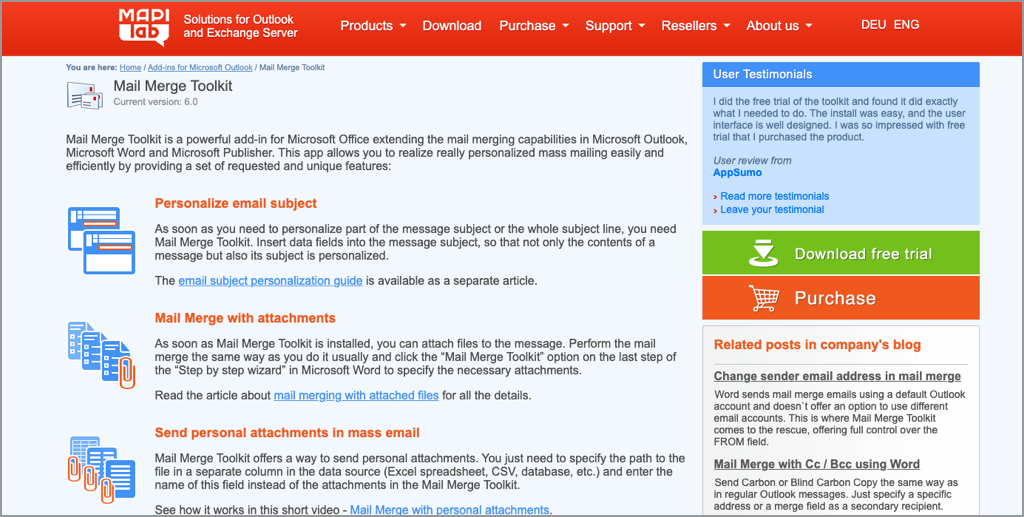
Mail Merge Toolkit is a simple tool to help you extend Outlook’s functionality. You can use the tool to personalize every part of your email: subject line, email body, call-to-action, and more.
You can even personalize your PDF documents or DOCX attachments when you’re sending attachments to people.
It’s best for users who need to improve their email productivity and isn’t made for teams that need collaboration tools or that need to send a high-volume of outreach.
Pricing: From €2.50 per user per month
Pros:
- Made specifically for Microsoft Office users
- Unique feature lets you personalize PDF and Microsoft Office Word attachments for each recipient
- Send messages in HTML templates or plain text
Cons:
- Relatively limited feature set if you run regular outreach campaigns
- UI is not as simple as other mail merge tools we’ve looked at
Mail Merge Software for Email Marketing
11. Mailchimp
Email marketing platform for sending visual email campaigns to large lists of opted-in email subscribers.
If you want to send personalized marketing emails and sequences to your audience, Mailchimp is an excellent option. It includes tools to help you create your list, such as forms to embed on your website, and then includes everything you need to build visually appealing and personalized templates.
Once your campaign is ready, you can create rules that dictate how and to whom your campaigns are sent.
The mail merge solutions included with Mailchimp mean every email sent from your account will be personalized, helping you boost engagement and get the best results.
Pricing: Free option is available for small campaigns. Paid plans from $11 per month.
Pros:
- Makes it easy for marketers and business owners to set up email marketing sequences
- Use mail merge fields to personalize your individual emails with key information about each recipient in your contact list
- Choose from a series of pre-built templates and edit them to fit your business needs
Cons:
- Becomes expensive as your email list and requirements grow
- Some users on G2 say that they would like more tools to help experienced marketers optimize their campaigns
12. Sendinblue
Send visual email templates to your email list to generate engagement and sales.
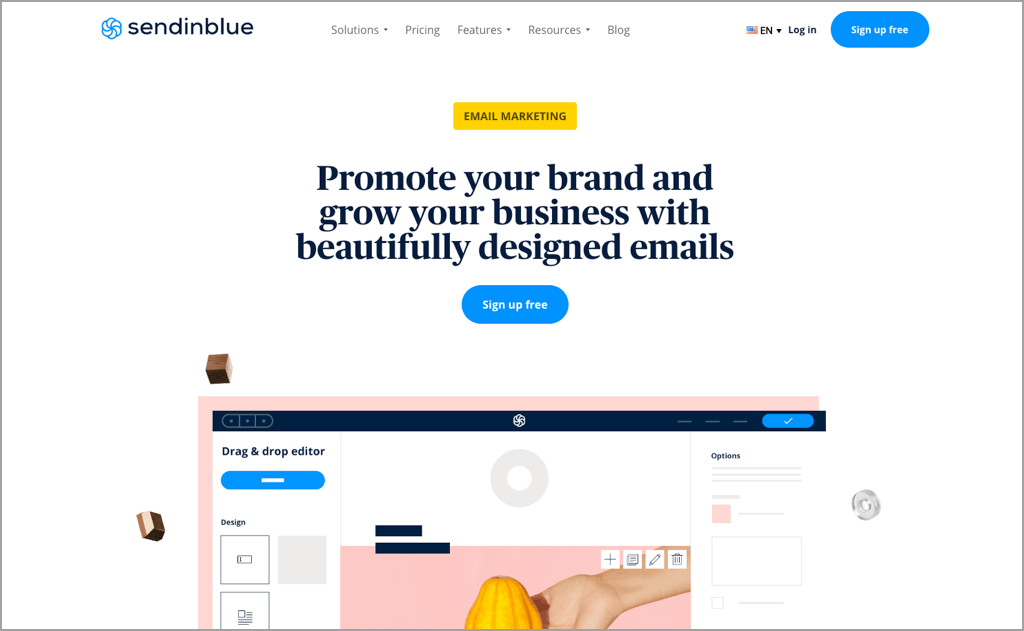
Sendinblue is an email marketing platform that enables you to grow your email list and then create visual, engaging email templates with personalized.
You can include any personal information in your templates using the mail merging tools to show your audience that your emails are personalized and relevant.
One caveat is that Sendinblue is made for email marketing, not sales email outreach. If you’re running cold email campaigns for sales, use a tool like QuickMail.
Pricing: Free plan available, paid plans from $25 per month
Pros:
- Competitive pricing when compared to other similar email marketing platforms
- No daily sending limit on your email campaigns
- Email analytics show you how many subscribers are clicking, opening, or unsubscribing from your campaigns
Cons:
- Some users on Capterra say that the email templates can be limited in terms of design
- Not made for sending cold email outreach
Benefits of Using Mail Merge Software
There are a few good reasons to use mail merge software.
1. Improved Response Rates to Emails
Personalized emails get more responses than generic ones.
Without a dedicated tool, sending cold outreach to potential clients at scale means you need to write hundreds of emails manually. With mail merge software you can automate the email writing process, without compromising on the level of personalization in your emails.
Every recipient will see that you’ve put effort into researching them before reaching out, and you’ll boost your reply rate.
It’ll also free you up to focus on your higher-level email strategy, rather than spending all day writing out emails.
2. Get More Done with Increased Productivity
Sending tens or hundreds of personalized emails over the course of a week is a time-consuming task.
Mail merge software can improve your email productivity by allowing you to send multiple unique emails at once to different recipients and still have each one personalized.
Most mail merge software also comes with automatic email follow-ups. If a prospect doesn’t reply, you can automatically send another email to them without needing to check your inbox.
Features to Look for In Mail Merge Software
Depending on your needs, you’ll care about different features in a mail merge tool. They all have different specialized features so it’s always worth testing them out before you commit. However, here are some essentials to look for:
- Spreadsheet upload and integrations: Because mail merge tools work by pulling in data from your prospect list, you need a tool that makes it easy to manage how you import data. Look for tools with native Google Sheets integrations, or, that make it simple to upload a CSV file.
- Automatic follow-ups: Sending a personalized email to a sales prospect won’t always get a response. Look for email merge software that lets you automate your follow-up emails, which will remove more manual work for you, and increase your chances of a reply.
- Works with your inbox provider: Compatibility is important, and most mail merge software is designed to work exclusively with Gmail rather than Microsoft Outlook. Always verify that the tool you use works with the major email service providers, in case you need to migrate in the future.
- Integrations: Your inbox connects every part of your business. The best mail merge tools will integrate with other tools, like your CRM, Zapier, and email deliverability tools.
Depending on your needs, there may be other features you need, but these are a good starting point.
Going Beyond Basic Mail Merge Fields to Skyrocket Replies
In the past, cold email outreach could see results by solely including someone’s first name in your mail merge template.
Today, the bar is higher.
Your recipients expect you to do in-depth research and reach out with an offer that’s specifically tailored to their needs.
One of the most powerful ways you can prove you’ve researched them is by including a custom icebreaker in your mail merge field.
For example, let’s say you run a company that recently opened a new office in Los Angeles. You receive a cold email saying: “Saw you opened a new office in [postcode] - recommend trying the tacos from [restaurant name]!”.
The first thing you would think is* “wow - they’ve done their research”*.
In your prospect spreadsheet, add a new column for this opening line and write out a custom introduction for every prospect.
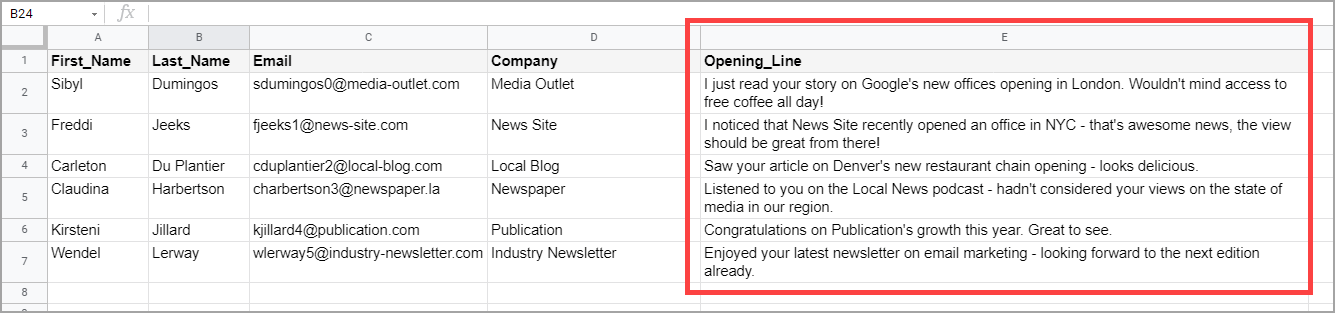
There are no shortcuts to this. You can try using an AI email assistant, but even they can have flaws, so you’ll need to manually verify each opening line.
As soon as your recipient opens your email, they’ll see that you’re different from the other sales reps reaching out to them. If they receive five other emails and you’re the one that stands out, you’ll get a response.
If you need more tips on writing opening lines, check out our guide and examples here.
Frequently Asked Questions (FAQ) about Mail Merge Software
Does Microsoft Office Have Mail Merge?
Yes, Microsoft Office includes an integrated mail merge process.
Here’s how to do it:
- Have a Microsoft Office account with Outlook and Word
- Creating an email template in a Microsoft Word document
- Create a list of email addresses and recipients in Microsoft Excel, including the details you want to be personalized in your templates
- Choose the ‘Send Email Messages’ option once your emails are ready and choose the Outlook contacts you want to send it to
- Microsoft Outlook will then send your personalized emails to your contacts
We show you the step-by-step process to sending mass emails in Outlook using mail merge in this article.
What is the Best Affordable Mail Merge Software?
There aren’t that many affordable options for mail merge software on the market. Most become unreasonable as you grow your team or increase your sends. However, at QuickMail, we offer affordable plans so outreach makes sense at every scale.
It’s the perfect way for a single business to run personalized email campaigns without needing to risk a large upfront investment in new software.
Which Mail Merge Software is Best for Gmail?
Depending on your needs, the best mail merge for Gmail will vary.
If you want to send personalized outreach emails to sales prospects, use automatic follow-ups to boost response rates, and use email to grow your company, then QuickMail is going to be the best option – it connects to your Gmail inbox in minutes.
If you want to improve your email productivity, then consider options like Yet Another Mail Merge or Gmelius. These won’t be a fit for growing sales teams but will help you send emails to coworkers and clients more efficiently.
Wrapping Up
Mail merge tools like the ones we’ve looked at can help you improve your email productivity, help you improve reply rates, and ultimately, let you start more conversations with sales prospects.
Depending on your needs, different mail merge tools will be a better fit.
For example, if you need a lightweight Gmail CRM, Streak will be a great choice. If you need a shared mailbox management platform, Gmelius is an excellent option.
However, if you need to send personalized sales outreach emails and get replies, QuickMail is the best option.
You can get started with a 14-day free trial to see if QuickMail is right for you.